


Drugs.com Medication Guide
4.76.08K Reviews
App Specs
- Version
- 3.1.65
- Updated On
- License
- Free
- Downloads
- 1,000,000+
- Developer
- Drugs.com
- Categories
- Medical
- Platform
- Android, iOS
Screenshots
 Analysis by AppCompare
When I look up a medicine, I want to find the answer without getting lost in jargon or a maze of menus. Drugs.com Medication Guide is a medical reference app from Drugs.com that brings drug information, pill identification, and medication management into one place. I find it most useful as a starting point for questions I can take to a pharmacist or clinician, rather than as a substitute for their advice.
Reading medicine information at your own pace
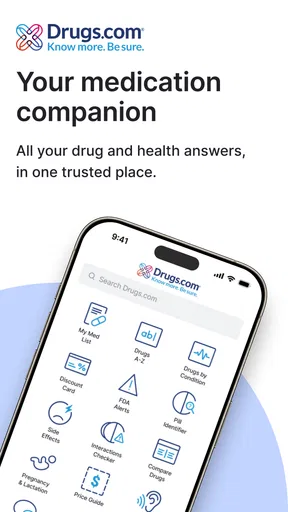
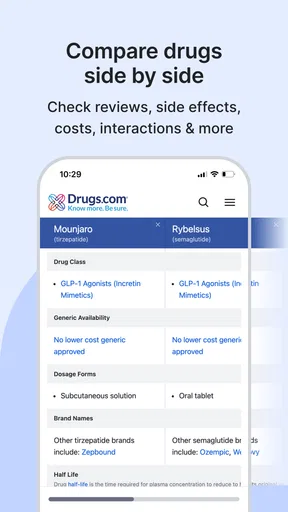
The app’s appeal is its direct purpose: look up a drug and read about it, check possible interactions, or investigate an unidentified pill. Searching by a brand or generic name is useful when the packaging uses a name you do not recognize. If you are comparing two products, checking both names can also help you spot that they refer to the same active ingredient; I would still verify the ingredients on the package or with a pharmacist before making a decision.
Drug pages can contain more detail than many people need in one sitting. I suggest starting with the question that brought you there, then reading the surrounding information only when it helps. For example, if you are checking a possible side effect, note the wording and context instead of treating every listed effect as equally likely or certain. This makes a reference page less overwhelming and gives you a clearer question to bring to a health professional.
There is a meaningful difference between this kind of reference app and a general web search. Search results can mix clinical material with advertisements, forum posts, and pages written for different audiences. A dedicated medicine resource gives you a more focused place to begin, although no app can decide whether a particular treatment is right for your circumstances. I would use it to prepare for a conversation, not to diagnose myself from a list of symptoms or warnings.
Using the tools carefully in everyday situations
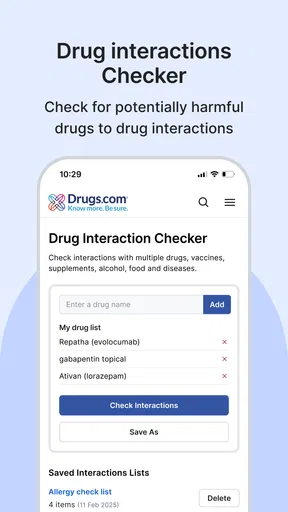
A practical example: a family member is prescribed a new medicine while already taking several others. Before the next appointment or pharmacy visit, you can look up each medication and use the interaction checker to identify combinations worth asking about. Keep the exact names and strengths from the labels nearby, since similar brand names or different formulations can make a casual search less reliable. A result is a prompt to ask a professional, not permission to stop, start, or change a dose.
The interaction checker is especially helpful when a medication list changes, but it should not be treated as a complete safety clearance. The app cannot account for every personal factor simply because a search returns no warning. If you have symptoms, a complex health history, or uncertainty about whether two products are appropriate together, contact a pharmacist or clinician directly. For urgent or severe symptoms, seek appropriate medical care rather than waiting for an app search.
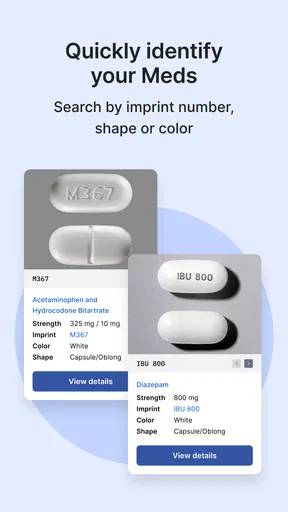
The pill identifier can help narrow down what a tablet might be when its imprint, shape, and color are visible. I would use it as a cautious identification aid, never as a reason to take a loose pill. If the imprint is worn, the tablet is damaged, or the details do not match clearly, stop there and ask a pharmacist. This is a case where avoiding a false match matters more than getting a quick answer.
Worth Reading Before You Choose

Flipboard Shows What News Apps Must Do Beyond the Feed

Switching to Android Auto Means Rethinking Your Driving Routine

Google Calendar Makes a Crowded Week Easier to Manage

Ludo King Makes the Most of the Minutes Between Plans

Baby Panda World Brings Quick Play to Modern Phones, but Its Game Library Feels Busy

ESPN’s Live Game View Makes Following Close Games Easier
For better results, check the label before searching and keep the packaging when possible. A medicine’s appearance alone may not tell the whole story, and a pill found away from its original container can be difficult to identify confidently. The useful workflow is to gather the visible details, compare them carefully, and let a pharmacist confirm any uncertain identification.
Navigation, access, and situations where it helps
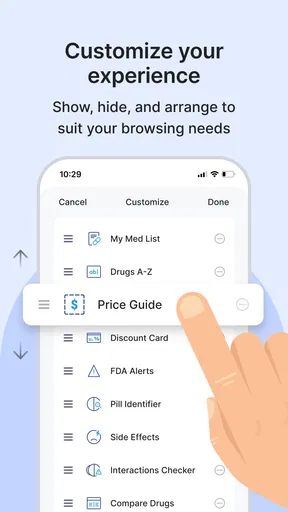
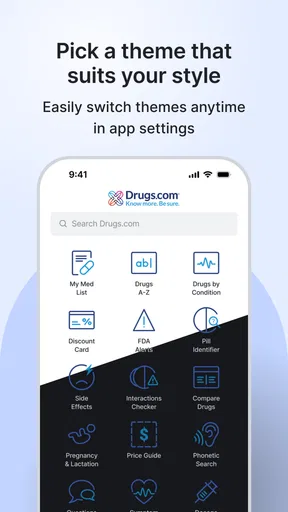
The app is designed around common medication questions rather than a broad health dashboard. That focus makes it easier to understand why you opened it: search a medicine, examine information, or use a specific tool. Still, detailed medical text asks for concentration. Someone who finds small screens tiring may prefer to read a longer entry on a larger device or ask a trusted person to help review it, especially when the information concerns a serious decision.
In motor or sensory contexts, the simplest approach is to use the app for one task at a time and avoid trying to compare several long entries while distracted. A caregiver could prepare a written list of medicine names and questions before a visit, then use the app as a reference during that preparation. If navigating a phone is difficult, asking a pharmacist to look up the information together may be more practical than relying on repeated taps or reading dense material alone.
It is also useful to distinguish between information you can consult at home and support you need in the moment. The app can help you prepare for a routine appointment or understand a new prescription, but it is not the right tool for an emergency, an individualized treatment plan, or a conversation that requires someone to assess you. People who need spoken explanations, translated help, or a clinician’s interpretation may be better served by direct support rather than trying to work through reference text independently.
Who benefits—and where I would be cautious
I can see this being especially useful for people managing several prescriptions, caregivers organizing questions for a family member, and anyone who wants to understand unfamiliar medication terms before speaking with a professional. It is also a handy second stop when a label prompts a question outside pharmacy hours, as long as the answer is not being used to delay needed care.
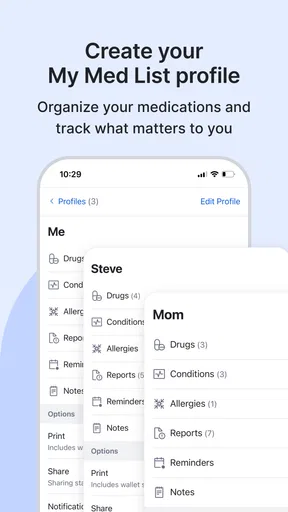
By contrast, I would not recommend relying on it as a personal medication manager if what you really need is a confirmed schedule, reminders, or a clinician monitoring your treatment. A drug reference and a care plan are different things. Likewise, someone who feels anxious when reading long lists of warnings may find a brief pharmacist conversation more reassuring and more tailored than browsing multiple entries alone.
Drugs.com Medication Guide is free, has a Teen content rating, and has a 4.7 average from around 37,000 ratings. It has over one million installs, which makes it a widely used option, though popularity does not replace checking whether its approach suits your needs. The app was released on February 24, 2013; its current version is 3.1.61, and it requires iOS 7.0 or later. I would check that your device meets the requirement before planning to use it.
One trade-off is that a reference app can make information easier to reach without making it easier to interpret. Warnings may sound alarming without context, and an interaction result may need professional judgment. I find the best way to use it is to write down the precise question, check the medicine names carefully, and take anything unresolved to a pharmacist or prescriber. That small step helps keep a quick lookup from turning into a risky self-diagnosis.
Your Personal Medication Encyclopedia
First things first, let’s talk about what this app actually does. Think of it as a comprehensive database for all things medication-related. You’ve got access to a vast catalog of drug information, including side effects, interactions, and dosage guidelines. It’s perfect for anyone who wants to stay informed about what they’re putting into their bodies.
Exploring the Features
The Drugs.com Medication Guide app is pretty straightforward to use. The interface is clean and intuitive, which is a big plus if you’re not particularly tech-savvy. You can search for drugs by their brand or generic names, and the app quickly pulls up detailed information.
One feature I found particularly handy is the interaction checker. You can enter multiple medications to see if there are any potential interactions. It’s like having a safety net right in your hand, ensuring you’re not mixing up meds that shouldn’t be combined.
There’s also a pill identifier tool, which is a lifesaver if you’ve ever found a random pill at the bottom of your bag. Simply enter the shape, color, and imprint of the pill, and the app helps you figure out what it is. No more guessing or unnecessary trips to the pharmacy!
Staying Updated and Informed
One of the things I love most about this app is how it keeps you in the loop with the latest FDA alerts and news on medications. It’s like having a little newsroom dedicated to drug safety and updates. You get notifications about any new developments or recalls, which is super important for staying on top of your health.
For those of us who like to dive deep, the app also links to clinical studies and professional guidelines, making it a fantastic resource for both patients and healthcare professionals alike.
Why You’ll Love It
If you’re someone who takes multiple medications or just wants to be more informed about your health, this app is a game-changer. It’s reliable, packed with information, and more convenient than sifting through countless web pages.
Plus, the peace of mind you get from understanding your medications better is priceless. Whether you’re a busy professional, a caregiver, or just someone who wants to be proactive about their health, this app is worth checking out.
Final Thoughts
All in all, the Drugs.com Medication Guide is a fantastic tool. It’s comprehensive, user-friendly, and packed with valuable information. I highly recommend giving it a try—you might just find it’s the app you didn’t know you needed.
So next time you’re scratching your head over a prescription, remember, there’s an app for that! And with the Drugs.com Medication Guide, you’re just a few taps away from becoming your own pharmacy expert.
Pros
- Comprehensive drug information.
- User-friendly interface.
- Drug interaction checker.
- Pill identifier feature.
- Offline access available.
Cons
- Contains in-app ads.
- Limited to English language.
- Requires internet for updates.
- May have outdated info.
- Some features need premium.
FAQs for Drugs.com Medication Guide
What information does the Drugs.com Medication Guide provide?
The Drugs.com Medication Guide offers comprehensive data about various medications, including their uses, side effects, interactions, and dosage instructions. It aims to provide users with reliable and up-to-date information to help manage their medications effectively and safely. This guide is essential for anyone wanting to understand their prescriptions better.
Is the Drugs.com Medication Guide app free to use?
Yes, the Drugs.com Medication Guide app is free to download and use. It provides access to a vast database of drug information without any initial costs. However, some advanced features or ad-free experiences might require in-app purchases or subscriptions.
How reliable is the information provided by the Drugs.com app?
The information in the Drugs.com Medication Guide is sourced from reputable medical authorities and is regularly updated to ensure accuracy. However, it should not replace professional medical advice. Users are encouraged to consult healthcare providers for any questions or concerns regarding their medications.
Can I use the Drugs.com app offline?
The Drugs.com Medication Guide requires an internet connection to access the most current drug information. While some basic information might be available offline, it is recommended to use the app with an active internet connection to ensure the data is up-to-date and comprehensive.
Does the app offer personalized medication reminders?
Yes, the Drugs.com Medication Guide includes features to help manage medication schedules, such as personalized reminders. Users can set up alerts for their medication timings, ensuring they never miss a dose, which can be particularly useful for managing complex medication regimens.


